CVE-2026-63081 - Perfect Support Ticketing System 1.7 Stored XSS via Ticket Notes Field
A GitHub repository version of this disclosure can be read here: CVE-2026-63081.
| Detail | Information |
|---|---|
| CVE Record | CVE-2026-63081 |
| Severity | 5.1 Medium (CVSS:4.0/AV:N/AC:L/AT:N/PR:L/UI:P/VC:N/VI:N/VA:N/SC:L/SI:L/SA:N) 5.4 Medium (CVSS:3.1/AV:N/AC:L/PR:L/UI:R/S:C/C:L/I:L/A:N) |
| Date Published | 2026-07-17 |
| Software Name | Perfect Support Ticketing & Document Management System |
| Affected Version(s) | 0 through 1.7 |
| Software Link | https://codecanyon.net/item/perfect-support-ticketing-document-management-system/32094844 |
| Vendor | Ultimate Fosters |
| Researcher Credits | Aaron Amran Bin Amiruddin (@aaronamran), Shahrul Nizam Bin Shahrin |
Description
Perfect Support Ticketing & Document Management System through 1.7 contains a stored cross-site scripting vulnerability that allows authenticated attackers with Agent-level privileges to inject malicious payloads into the Notes field of assigned support tickets. Attackers can store malicious scripts that execute in the browser context of any user who views the affected ticket notes, including Superadmin users, enabling session hijacking or unauthorized actions on behalf of the victim.
Proof-of-Concept
1. As a prerequisite, ensure you are having access to an account with Agent privileges and an active support ticket is assigned to the target Agent (e.g., assigned by a Superadmin). Log in to the application using an account with Agent privileges.
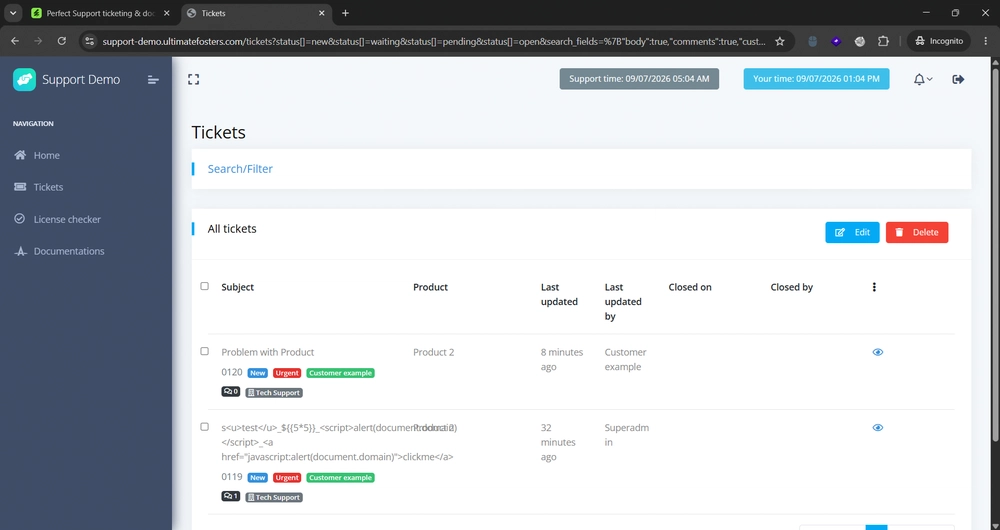
2. Navigate to the assigned ticket dashboard and open the specific support ticket.
3. In the Notes input field, inject the following Stored XSS payload and save the changes:
<a href="javascript:alert(document.domain)">clickme</a>
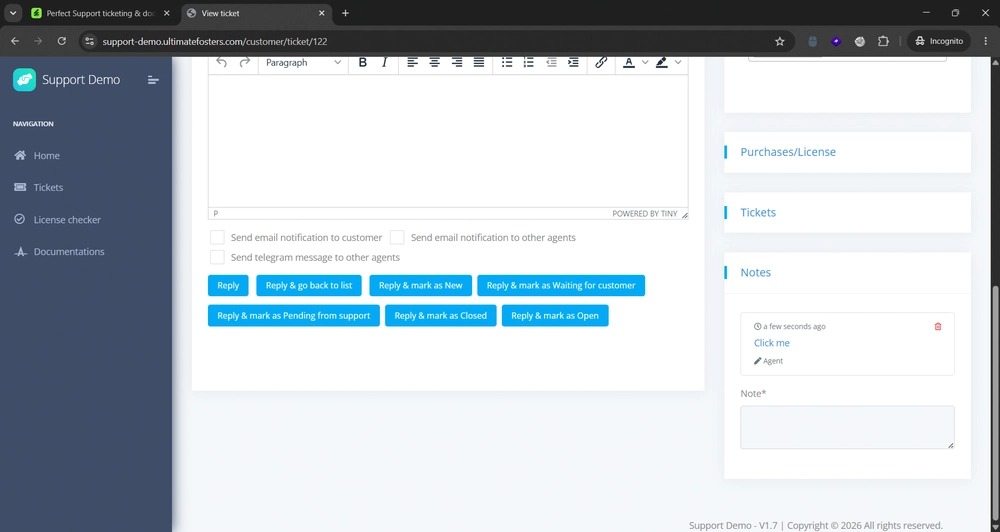
4. Log out of the Agent account and log in as a Superadmin user (or any other Agent assigned to the same ticket).
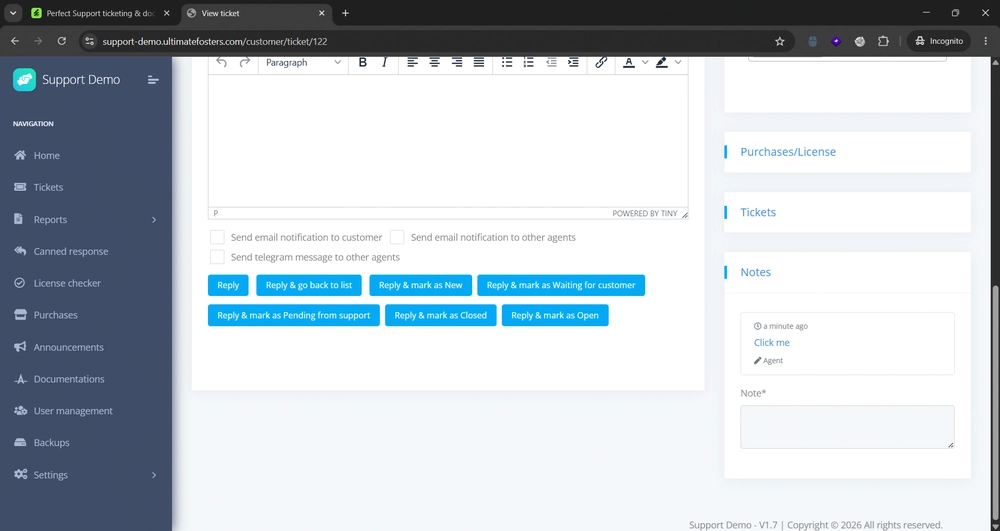
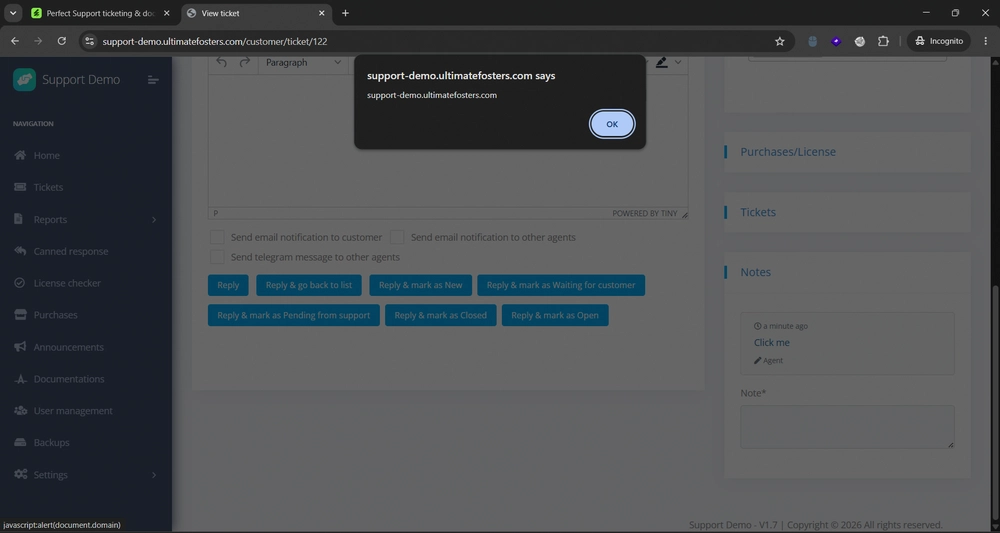
5. View the modified ticket and navigate to the Notes section. Click the injected link to trigger the JavaScript execution alert box, confirming the Stored XSS vulnerability.
Timeline
- 9 July 2026: Initial discovery of a vulnerability in Perfect Support Ticketing System v1.7 using their Live Demo instance. We sent a full email report directly to VulnCheck.
- 15 July 2026: VulnCheck replied stating that following an initial triage, they were unable to locate a clear security reporting method to Ultimate Fosters, and they supported our decision to proceed with a public disclosure.
- 16 July 2026: Received the reserved CVE IDs for the vulnerability from VulnCheck. We published a public disclosure in my CVE-Disclosures repository on GitHub. VulnCheck then officially published CVE-2026-63081 later that day.
- 17 July 2026: Published this blog post.
See you in the next hack.
@aaronamran
July 2026